0 ratings







Item #:
118440620
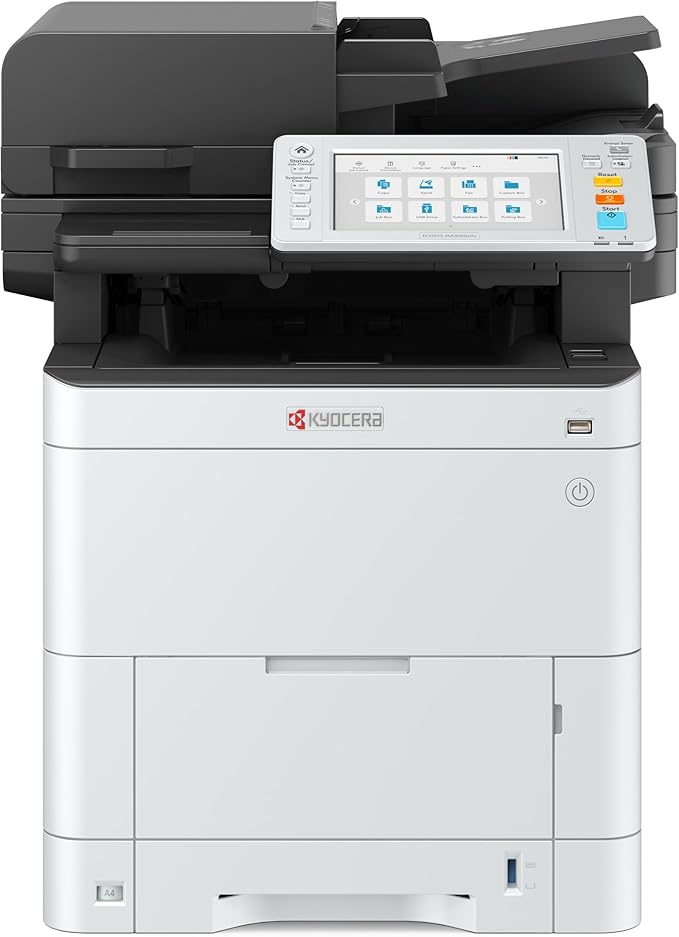
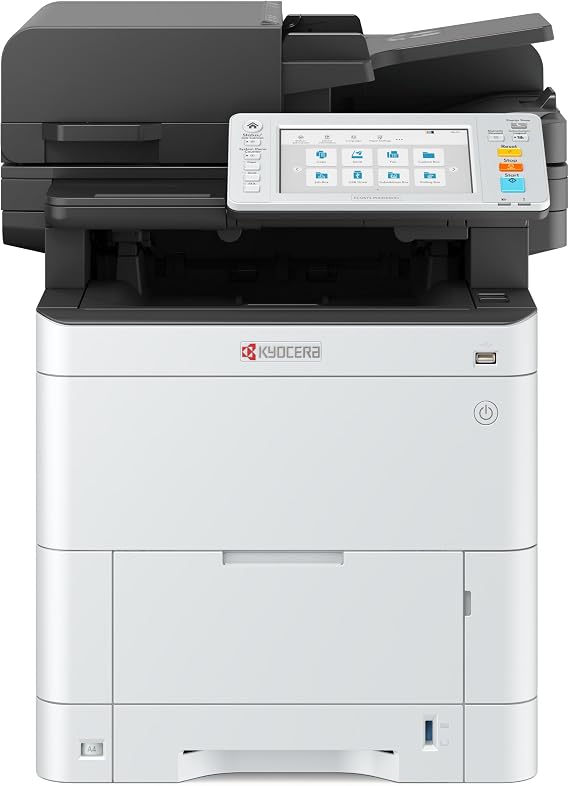
KYOCERA ECOSYS MA3500cifx All-in-One Color Laser Printer (Print/Copy/Scan/Fax), 37 ppm, 1200 dpi, Gigabit Ethernet & HyPAS Capable, 7 inch
Item #:
118440620
MWK 4452140
Price Details
Excluding Shipping & Custom charges ( Shipping and custom charges will be calculated on checkout )
*All items will import from US
In stock
 Imported from USA store
QTY:
Only 3 items left in stock.
Order now and get it around Wednesday, July 29
Secured transaction
Ubuy works hard to protect your security and privacy. Our advanced payment security system ensures confidentiality by encrypting your information during transmission using AES (Advanced Encryption Standards) and SSL (Secure Socket Layer) protocols. Your payment details are 100% secure as we do not share your payment details with third party sellers.
Our Top Logistics Partners


The ECOSYS MA3500cifx delivers game-changing efficiency and productivity without sacrificing quality.

Fast
Shipping

Free
Return*

Secure Packaging

100% Original Products

PCI DSS Compliance

ISO 27001 Certified


Note: Step Down Voltage Transformer required for using electronics products of US store (110-120). Recommended power converters Buy Now.


What Stands Out
High-Speed Printing
With a speedy 37 ppm printing rate, this printer enhances productivity, making it ideal for busy offices that demand efficiency without sacrificing print quality.
Versatile Functionality
As an all-in-one device, it seamlessly handles print, copy, scan, and fax tasks, providing comprehensive solutions for diverse business needs and reducing the need for multiple machines.
Advanced Connectivity
Equipped with Gigabit Ethernet and HyPAS capabilities, this printer ensures quick network integration and supports custom applications, making it adaptable to modern office environments for enhanced workflow.
Product Details
- VERSATILE: Copy/Scan/Print/Fax Color Laser All-in-One Printer
- QUALITY: High quality output at 1200 x 1200 dpi
- SPEED: Up to 37 pages per minute
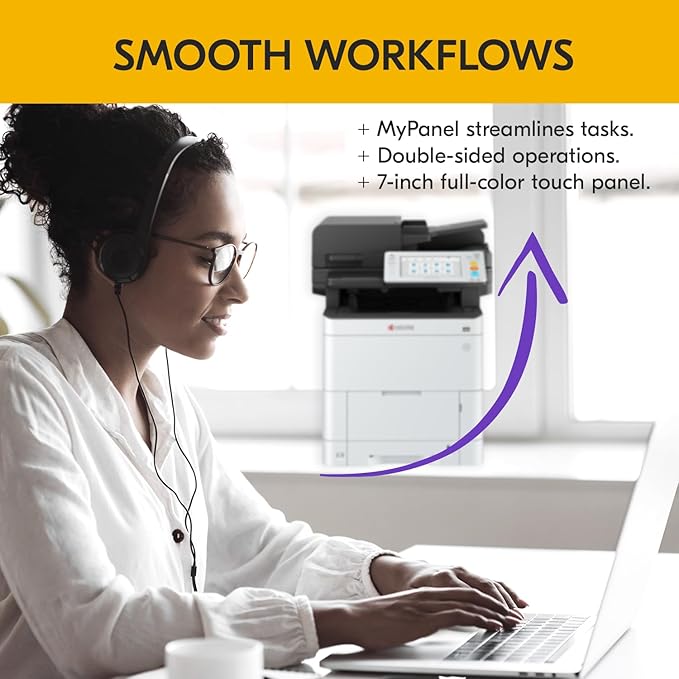
- CONTROL PANEL: Color 7" TSI with touch panel
- HyPAS compatible
| Printer Type | Laser |
| Other Special Features of the Product | Auto-Duplex |
| Printer Output Type | Color |
| Item Weight | 107 Pounds (48.53 kg) |
| Item Dimensions D x W x H | 22.7"D x 18.9"W x 22.5"H (57.7 x 48 x 57.2 cm) |
| Controller Type | Touchpad Control |
| Print media | Paper (plain) |
| Scanner Type | Image Scanner |
| Maximum Copy Speed Black and White | 37 ppm |
| Maximum Copies Per Run | 500 |
| Ink Color | cyan, magenta, yellow, black |
| Additional Printer Functions | All In One |
| Control Method | Touch |
| Number of Trays | 2 |
| Resolution | 1200 x 1200 |
| Display Type | OLED or LCD |
| Maximum Media Size | 8.5 x 14 inch (21.6 cm) |
| Maximum Sheet Capacity | 37 |
| Paper Size | 8.5 x 11 Inches (21.6 cm) |
| Output sheet capacity | 37 |
| Printer Connectivity Type | Ethernet, USB |
| Hardware Interface | Ethernet, USB |
| Number of Ethernet Ports | 3 |
| Total USB 2.0 Ports | 2 |
| Total Usb Ports | 2 |
| Brand | KYOCERA |
| Model Name | ECOSYS MA3500cifx |
| Model Number | MA3500cifx |
| Built-In Media | Laser printer |
| Series Number | 3500 |
| Model Series | MA3500 |
| UPC | 632983071823 |
| Manufacturer | KYOCERA |
| Item Type Name | Laser Printer |
| Color Pages per Minute | 37 ppm |
| B&W Pages per Minute | 37 ppm |
| Color | Multi |
| Color Depth | 24 bpp |
| Maximum print Resolution Color | 1200 x 1200 dpi |
| Maximum Print Resolution Black and White | 1200 x 1200 dpi |
| Dual-sided printing | Yes |
| Duplex | Automatic |
| Maximum Copy Resolution Color | 1200 x 1200 dpi |
| Maximum Copy Resolution Black and White | 1200 x 1200 dpi |
| Connectivity Technology | Ethernet, USB |
| Printing Technology | Laser |
| Special Feature | Auto-Duplex |
| Printer Output | Color |
| Maximum Print Speed (Color) | 37 ppm |
| Max Printspeed Monochrome | 37 ppm |
What's in the box
Laser printer
Who Should Buy?

-
Small Business Owners
Ideal for businesses needing efficient color printing, copying, and scanning to handle various office tasks.
-
Educational Institutions
Perfect for schools and universities that require high-quality printing and multifunction capabilities for administration.
-
Remote Workspaces
A great fit for remote teams needing a reliable all-in-one printer to manage documents from different locations.

-
Casual Home Users
Less suitable for individuals looking for low-cost, simpler printing options without complex features.
-
Low Volume Offices
Not ideal for environments with minimal printing needs where higher investment costs are unnecessary.
-
Budget-Conscious Buyers
May not appeal to buyers seeking a more affordable printer without advanced features or high volume capabilities.
Product Description
Have any Query? Chat with us
Customer Questions & Answers
-
Question:
What are the main features of the KYOCERA ECOSYS MA4000cix multifunctional color laser printer?
Answer: The KYOCERA ECOSYS MA4000cix boasts an impressive array of features, including a print speed of up to 42 pages per minute, 1200 dpi resolution for high-quality prints, and the flexibility to print, copy, and scan. Its 7-inch touchscreen allows for intuitive navigation and easy access to its multiple functions. Additionally, it is HyPAS capable, which expands its functionality through customizable applications, making it an ideal choice for businesses looking to streamline their operations. -
Question:
How does the print quality compare to other printers in the same category?
Answer: With a 1200 dpi resolution, the KYOCERA ECOSYS MA4000cix delivers exceptional print quality, rivaling many competitors. This high resolution ensures that texts are sharp, and images are vibrant, making it suitable for professional documents and marketing materials. Users can rely on it for producing detailed graphics, ensuring that presentations look impressive and reports are polished, ultimately contributing to a professional image in business environments. -
Question:
What types of media can the KYOCERA ECOSYS MA4000cix print on?
Answer: This multifunctional printer supports a variety of media types, including standard office papers, envelopes, labels, and even heavier cardstock. It can handle different sizes ranging from A4 to legal documents, allowing users to cater to a diverse range of printing needs. This flexibility is beneficial for offices that require versatility in their printing tasks, whether for internal communications or external presentations. -
Question:
Is the KYOCERA ECOSYS MA4000cix suitable for small businesses?
Answer: Absolutely! The KYOCERA ECOSYS MA4000cix is an excellent investment for small businesses. With its combination of speed, multifunctionality, and high-quality output, it can handle various press workloads efficiently. The added benefit of Gigabit Ethernet connectivity means it can easily integrate into a network, allowing multiple users to take advantage of its features, thus enhancing productivity and collaboration within the office. -
Question:
What is HyPAS capability and why is it important?
Answer: HyPAS capability enables the KYOCERA ECOSYS MA4000cix to support customizable applications that enhance its core functions. This flexibility allows users to streamline tasks by integrating tailored solutions suited to their specific business processes. For example, businesses can implement document management solutions directly through the printer, significantly improving workflow efficiency. It makes the device particularly valuable for industries that require specialized printing and document handling. -
Question:
Can I connect the KYOCERA ECOSYS MA4000cix to my network?
Answer: Yes, the KYOCERA ECOSYS MA4000cix features Gigabit Ethernet connectivity, which facilitates easy integration into your existing network. This ensures that multiple users can access the printer simultaneously without compromising on speed or performance. It's especially helpful in busy office environments, allowing seamless document sharing and printing across different workstations, enhancing overall productivity. -
Question:
What is the print speed of the KYOCERA ECOSYS MA4000cix?
Answer: The KYOCERA ECOSYS MA4000cix delivers a rapid print speed of up to 42 pages per minute. This impressive speed is essential for high-volume printing environments, helping businesses meet tight deadlines without sacrificing quality. Efficient print performance allows teams to focus on their core tasks rather than waiting for documents, making it an optimal choice for busy offices. -
Question:
How user-friendly is the 7-inch touchscreen interface?
Answer: The 7-inch touchscreen interface of the KYOCERA ECOSYS MA4000cix is designed to be intuitive and user-friendly. With its large display, users can easily navigate through various functions, adjust settings, and monitor job statuses effortlessly. This streamlined interface reduces learning curves for new users and enhances productivity by minimizing the time needed to execute printing, scanning, or copying tasks. -
Question:
What kind of support is available for the KYOCERA ECOSYS MA4000cix?
Answer: The KYOCERA ECOSYS MA4000cix typically comes with comprehensive support options. Users can access online resources, user manuals, and troubleshooting guides. Additionally, many vendors provide telephone and email support to assist with any technical issues or questions. This robust support structure helps ensure that users can maximize the printer's capabilities without disruptions during operation. -
Question:
Where can I buy the KYOCERA ECOSYS MA4000cix?
Answer: You can buy the KYOCERA ECOSYS MA4000cix in Malawi through Ubuy. Ubuy offers a convenient shopping experience, allowing you to browse, purchase, and find essential information about the printer in one place. With a variety of options available, you'll be able to choose the best fit for your needs, all while benefiting from Ubuy’s customer-friendly platform.
KYOCERA Laser Printers MA3500cifx Editorial Review
No editorial reviews found
Customer Reviews & Ratings
4 customers ratings
-
5 Star
29%
-
4 Star
0%
-
3 Star
0%
-
2 Star
0%
-
1 Star
71%
Review this product
Share your thoughts with other customers
Platform Trust & Buyer Confidence

MT
Mohd
Verified buyer
“The product received very good packaging & safe…Thank You”
16 June 2026 · via Trustpilot
SJ
Shawati
Verified buyer
“Accurate delivery timing given”
16 June 2026 · via Trustpilot
YB
Youcef
Verified buyer
“Not madly expensive like I thought, and much quicker than promised.”
15 June 2026 · via Trustpilot
LM
Leila
Verified buyer
“Never dealt with Ubuy before, but everything worked out great. Seamless cross border purchasing and shipping. Thanks!”
6/7/2026 · via Trustpilot
KA
Kwame
Verified buyer
“The process was smooth, with clear communication and timelines. This was my 1st purchase and I am really impressed. I will definitely be coming back.”
12 June 2026 · via Trustpilot
Secure Checkout
Global Delivery
Easy Returns
Genuine Products
Product Price History
Important information
- Limitations : For products shipped internationally, please note that any manufacturer warranty may not be valid; manufacturer service options may not be available; product manuals, instructions, and safety warnings may not be in destination country languages; the products (and accompanying materials) may not be designed in accordance with destination country standards, specifications, and labeling requirements; and the products may not conform to destination country voltage and other electrical standards (requiring use of an adapter or converter if appropriate). The recipient is responsible for assuring that the product can be lawfully imported to the destination country. When ordering from Ubuy or its affiliates, the recipient is the importer of record and must comply with all laws and regulations of the destination country.
- Not all the products listed on Ubuy are for sale, as Ubuy is a global search engine. Products are subject to export/trade regulations.
MWK 4452140
Order now and get it around Wednesday, July 29
This item is not restrict in my country.(Please click on above link if this item is not restrict in your country, So our team will review and allow.)
QTY:
Only 3 items left in stock.
Secured transaction
PCI DSS compliant and ISO 27001:2022 certified, with encrypted payments and full buyer protection on every order.
Our Top Logistics Partners
Fastest cross-border delivery
Features & Benefits
- Boosts productivity and efficiency for your workspace.
- Intuitive design for easy operation, ideal for any environment.
- Robust data security features for peace of mind.
- Handles high document volumes effortlessly.
- Seamless integration with cloud-based management solutions.
- Perfect for small to medium-sized businesses.
Ubuy Assurance
Experience worry-free shopping with 100% original products, PCI DSS-compliant payment security, ISO 27001-certified data protection, the fastest cross-border delivery, free returns *, and secure packaging on every order.