- Home Page /
- Video Games /
- PC /
- Accessories /
- Gaming Keyboards /
- KINESIS Gaming TKO White Mechanical Keyboard ...
0 ratings




Item #:
101623422
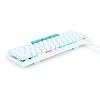
KINESIS Gaming TKO White Mechanical Keyboard | Tactile Brown Switches | 60% Layout | Split Spacebar | Hotswap | White Body
Item #:
101623422
MWK 243596
Price Details
Excluding Shipping & Custom charges ( Shipping and custom charges will be calculated on checkout )
*All items will import from US
In stock
 Imported from USA store
QTY:
Only 15 items left in stock.
Order now and get it around Friday, June 26
Secured transaction
Ubuy works hard to protect your security and privacy. Our advanced payment security system ensures confidentiality by encrypting your information during transmission using AES (Advanced Encryption Standards) and SSL (Secure Socket Layer) protocols. Your payment details are 100% secure as we do not share your payment details with third party sellers.
Our Top Logistics Partners


Build your own customized gaming keyboard with ease and elevate your performance with ergonomic designs and premium features!

Fast
Shipping

Free
Return*

Secure Packaging

100% Original Products

PCI DSS Compliance

ISO 27001 Certified


Note: Step Down Voltage Transformer required for using electronics products of US store (110-120). Recommended power converters Buy Now.


What Stands Out
Compact Design
The 60% layout maximizes desk space, making it ideal for gamers and professionals who value minimalism without sacrificing functionality.
Hotswap Capability
Easily customize your typing experience with hotswap switches, allowing users to change out switches without soldering for enhanced flexibility.
Tactile Feedback
Featuring tactile brown switches, the keyboard provides satisfyingly responsive feedback, offering an optimal balance between gaming speed and typing satisfaction.
Product Details
- PROGRAMMABLE 60% LAYOUT: Ultra-compact aluminum keyboard with standard 60% layout and modular triple-space bar. Maximum portability and closer mouse placement.
- HOTSWAP MECHANICAL SWITCHES: Premium Gateron Brown mechanical switches with tactile feedback and low-force. Switches are plug-and-play so you can customize the feel of WASD or swap out the whole board.
- DUAL-ZONE RGB LIGHTING: Customize the per-key RGB lighting with 12 customizable modes and edge lighting with underglow.
- UNMATCHED ERGONOMICS: Zero-degree slope with pop-up feet for front and back tilting. Optional Left and Right tenting for high-performance gaming. Customize the triple-space bar for 2 extra thumb actions for gaming, typing or coding.
- SIGNATURE DESIGN: White keycaps and body plus contrasting blue triple space bar
| Compatible Devices | Mac, PC |
| Connectivity Technology | USB-C |
| Additional Features | Backlit, Ergonomic |
| Keyboard Backlighting Color Support | RGB |
| Power Source | USB Powered |
| Switch Type | Tactile |
| Keyboard Layout | QWERTY |
| Hand Orientation | Ambidextrous |
| Button Quantity | 63 |
| Mechanical Keyboard Switch Model | gateron_brown |
| Number of Keys | 63 |
| Color | White |
| Style Name | Gateron Tactile Brown |
| Item Dimensions L x W x H | 11.61"L x 4.53"W x 1.3"H (29.5 x 11.5 x 3.3 cm) |
| Enclosure Material | Aluminum |
| Brand | KINESIS |
| Keyboard Description | Gaming |
| Antenna Location | Gaming |
| Built-In Media | Full Size Space Bar, USB Cable |
| Model Number | KBTKO-WKIT-GBR |
| Model Name | TKO White |
| Unit Count | 1.0 Count |
| Manufacturer | Kinesis |
| UPC | 607998001059 |
| Mfr Part Number | KBTKO-WKIT-GBR |
| Item Weight | 1.3 Pounds (590 grams) |
| Recommended Uses For Product | Gaming |
| Special Feature | Backlit, Ergonomic |
| Keyboard backlighting color support | RGB |
| Style | Gateron Tactile Brown |
| Product Dimensions (L x W x H) | 11.61"L x 4.53"W x 1.3"H (29.5 x 11.5 x 3.3 cm) |
Who Should Buy?

-
Gamers
The compact 60% layout and tactile switches enhance gaming performance and ensure faster response times during play.
-
Minimalists
Its sleek white design and space-saving layout appeal to users seeking a clean and modern workspace.
-
Customizers
Hotswap capability allows users to easily modify switches, catering to enthusiasts who enjoy personalizing their keyboards.

-
Writers
The compact layout may not suit writers who prefer full-sized keyboards for optimal typing comfort and efficiency.
-
Travelers
While portable, the lack of dedicated function and navigation keys might limit functionality for frequent travelers.
-
Non-Gamers
Users who primarily use keyboards for general tasks may find this gaming-focused keyboard lacks necessary features.
Product Description
Have any Query? Chat with us
Customer Questions & Answers
-
Question:
What are the benefits of using the KINESIS Gaming TKO White Mechanical Keyboard?
Answer: The KINESIS Gaming TKO White Mechanical Keyboard offers tactile Brown switches, providing satisfying feedback for both gaming and typing. The 60% layout is compact, freeing up desk space while retaining essential keys. With a split spacebar, it allows for more versatile keybindings and customization. Additionally, hotswap capabilities enable users to easily change switches without soldering, catering to gamers who want to experiment with different tactile sensations. This makes it a great choice for both casual and serious gamers who value performance and comfort. -
Question:
How does the split spacebar feature work?
Answer: The split spacebar feature on the KINESIS Gaming TKO enhances your typing efficiency by allowing separate key functions on both sides of the spacebar. This design lets you map commonly used keys to each side, providing faster access to actions in games or shortcuts in apps. Gamers often find this valuable for rapid maneuvers, and typists appreciate the customization for comfort and productivity. Overall, this unique configuration can significantly enhance user experience, making it suitable for varied uses. -
Question:
Can the KINESIS Gaming TKO keyboard be used with different switch types?
Answer: Yes, the KINESIS Gaming TKO keyboard features hotswap capabilities, allowing users to easily change out the tactile Brown switches for others, such as linear or clicky options. This flexibility enables customization based on personal preferences and gaming needs. For instance, if you start with Brown switches and later decide to try Red switches for a smoother feel or Blue switches for more audible feedback, you can do so without the hassle of soldering. This makes it an excellent long-term investment. -
Question:
What type of user would benefit from the tactile Brown switches?
Answer: Tactile Brown switches are ideal for users who enjoy a blend of typing and gaming. They provide a noticeable bump at the actuation point, which can enhance typing accuracy while still being quiet enough for shared workspaces. Additionally, gamers who need quick response times but prefer not to have loud clicks will find Browns particularly suitable. This makes the KINESIS Gaming TKO a versatile option for both gamers and professionals who value performance without compromising on noise level. -
Question:
Is the KINESIS Gaming TKO keyboard compatible with different operating systems?
Answer: The KINESIS Gaming TKO keyboard is designed for optimal compatibility across various operating systems, including Windows, macOS, and Linux. The layout and key functions may require minor adjustments depending on the OS used, but it ensures a seamless experience for most users. This versatility makes it a practical choice for gamers and professionals who switch between devices or different environments frequently, allowing for a consistent typing and gaming experience. -
Question:
What activities are best suited for the KINESIS Gaming TKO keyboard?
Answer: The KINESIS Gaming TKO keyboard excels in both gaming and professional typing scenarios. Its tactile feedback is especially beneficial during fast-paced gaming, allowing for precise key presses. Meanwhile, its comfortable layout also makes it a great choice for long writing sessions, where users benefit from the tactile response of the Brown switches. Whether you’re diving into an intense gaming session or tackling a work project, this keyboard provides an optimized experience for your needs. -
Question:
How does the 60% layout of the KINESIS Gaming TKO differ from full-sized keyboards?
Answer: The 60% layout of the KINESIS Gaming TKO keyboard focuses on essential keys and eliminates the number pad, function row, and navigation cluster, making it compact and portable. This design is popular among gamers and minimalists due to the extra desk space it provides for movements and mouse use. Additionally, it encourages a more centered typing posture which may reduce strain during long sessions. Users who appreciate streamlined setups will find this layout especially advantageous. -
Question:
Can I customize the key functions on the KINESIS Gaming TKO?
Answer: Absolutely! The KINESIS Gaming TKO offers customizable key functions, allowing users to remap keys according to their preferences. This feature is particularly useful for gamers who need specific keybindings for their play style and for professionals seeking shortcuts for software applications. With software support or onboard functionality depending on your setup, you can tailor the keyboard to your exact requirements, enhancing your overall productivity and efficiency. -
Question:
What makes the build quality of the KINESIS Gaming TKO superior?
Answer: The KINESIS Gaming TKO keyboard is constructed with high-quality materials, offering durability and longevity. The white body not only adds aesthetic appeal but also provides a sturdy base that withstands heavy usage. Additionally, the mechanical switches are designed to handle millions of key presses, ensuring reliability even in the most intense gaming scenarios. This level of build quality makes the KINESIS TKO a reliable choice for both gamers and professionals striving for long-term performance. -
Question:
Where can I buy the KINESIS Gaming TKO White Mechanical Keyboard in Malawi?
Answer: You can purchase the KINESIS Gaming TKO White Mechanical Keyboard on Ubuy in Malawi. Ubuy offers a range of products, including this high-quality mechanical keyboard, with easy access and a smooth shopping experience.
KINESIS Gaming Keyboards KBTKO-WKIT-GBR Editorial Review


The KINESIS Gaming TKO White Mechanical Keyboard has garnered significant attention and praise from users, particularly for its impressive typing experience and customizable features. Users rave about the satisfaction they derive from using the tactile brown switches, which are reportedly more comfortable than their previous mechanical switches, leading to faster typing speeds and fewer mistakes. The keyboard's Construction, featuring a sturdy metal top and durable plastic base, adds to its premium feel. Customization is a key highlight, with many users appreciating the various key replacements and the ability to alter the height and angle, allowing for personalized ergonomic setups. The compact 60% layout is beneficial, particularly for those who maintain a clean workspace. Even those migrating from traditional full-size keyboards find comfort in the TKO's usability—albeit with a learning curve for features like the arrow keys and function layers. Plug-and-play functionality is also a significant plus. Users note that setup is seamless, reinforcing the keyboard's user-friendly design. The inclusion of customizable color profiles and key mappings through text files is particularly lauded by Linux users, showcasing the keyboard’s versatility across different operating systems. Despite the overwhelmingly positive feedback, some users mention minor drawbacks. The absence of dedicated arrow keys can be a transitional challenge, as accessing them requires using function layers. Additionally, specific key combinations can be cumbersome, particularly for frequent Linux users, prompting some to create macros to simplify their tasks. Overall, the KINESIS TKO is characterized as a thoughtful blend of comfort, customization, and quality, making it a favored choice among gamers and typists alike. **
Customer Reviews & Ratings
20 customers ratings
-
5 Star
56%
-
4 Star
21%
-
3 Star
11%
-
2 Star
12%
-
1 Star
0%
Review this product
Share your thoughts with other customers
Pros
- Excellent typing experience with tactile switches
- Sturdy Construction with a premium feel
- Customizable height, angle, and key mappings
- Portable and easy to disconnect
- Plug-and-play setup
- Functional for various operating systems, including Linux
Cons
- Absence of dedicated arrow keys may require adjustment
Product Price History
Important information
- Limitations : For products shipped internationally, please note that any manufacturer warranty may not be valid; manufacturer service options may not be available; product manuals, instructions, and safety warnings may not be in destination country languages; the products (and accompanying materials) may not be designed in accordance with destination country standards, specifications, and labeling requirements; and the products may not conform to destination country voltage and other electrical standards (requiring use of an adapter or converter if appropriate). The recipient is responsible for assuring that the product can be lawfully imported to the destination country. When ordering from Ubuy or its affiliates, the recipient is the importer of record and must comply with all laws and regulations of the destination country.
- Not all the products listed on Ubuy are for sale, as Ubuy is a global search engine. Products are subject to export/trade regulations.
MWK 243596
Order now and get it around Friday, June 26
This item is not restrict in my country.(Please click on above link if this item is not restrict in your country, So our team will review and allow.)
QTY:
Only 15 items left in stock.
Secured transaction
Ubuy works hard to protect your security and privacy. Our advanced payment security system ensures confidentiality by encrypting your information during transmission using AES (Advanced Encryption Standards) and SSL (Secure Socket Layer) protocols. Your payment details are 100% secure as we do not share your payment details with third party sellers.
Our Top Logistics Partners
Fastest cross-border delivery
Features & Benefits
- Create your unique gaming experience with fully customizable, hotswap mechanical switches.
- Ergonomic design promoting comfort with adjustable tilt options and one-handed gameplay facilitation.
- Travel-friendly, compact design perfect for tournaments or LAN parties with included hard-shell case.
- Onboard programming features, including macros and customizable lighting effects through a user-friendly SmartSet App.
- Permanent onboard storage for up to 9 profiles, making it tournament-ready at a moment's notice.
- High-quality construction with premium materials ensures durability and longevity during extensive gaming sessions.