- Home Page /
- Electronics /
- Computer Accessories /
- Computer Accessories & Peripherals /
- Audio & Video Accessories /
- Webcams & VoIP Equipment /
- Webcams /
- Logitech StreamCam Premium Webcam for Streami...
0 ratings







Item #:
78807342
Logitech StreamCam Premium Webcam for Streaming and Content Creation, Full HD 1080p 60 fps, Works with Microsoft Teams, Google Meet, Zoom, Nintendo
Item #:
78807342
MWK 519615
Price Details
Excluding Shipping & Custom charges ( Shipping and custom charges will be calculated on checkout )
*All items will import from US
9%
In stock
 Imported from USA store
QTY:
Only 3 items left in stock.
Order now and get it around Tuesday, June 23
Secured transaction
Ubuy works hard to protect your security and privacy. Our advanced payment security system ensures confidentiality by encrypting your information during transmission using AES (Advanced Encryption Standards) and SSL (Secure Socket Layer) protocols. Your payment details are 100% secure as we do not share your payment details with third party sellers.
Our Top Logistics Partners


Stream and record in full 1080p HD resolution at 60 fps for sharp, natural video with smooth motion.

Fast
Shipping

Free
Return*

Secure Packaging

100% Original Products

PCI DSS Compliance

ISO 27001 Certified


Note: Step Down Voltage Transformer required for using electronics products of US store (110-120). Recommended power converters Buy Now.


What Stands Out
Full HD Quality
Deliver stunning visuals at 1080p and 60 fps, ensuring that streamers and creators present their content with exceptional clarity and smoothness, making every frame captivating.
Smart Auto-Focus
Automatically adjusts focus on the subject, allowing users to move freely without losing sharpness, enhancing viewer engagement and improving overall production quality.
Versatile Compatibility
Compatible with both PC and Mac, StreamCam ensures seamless integration into any setup, catering to a broad audience of content creators and streamers with diverse equipment and software preferences.
Product Details
- Compatible with Nintendo Switch 2’s new GameChat mode
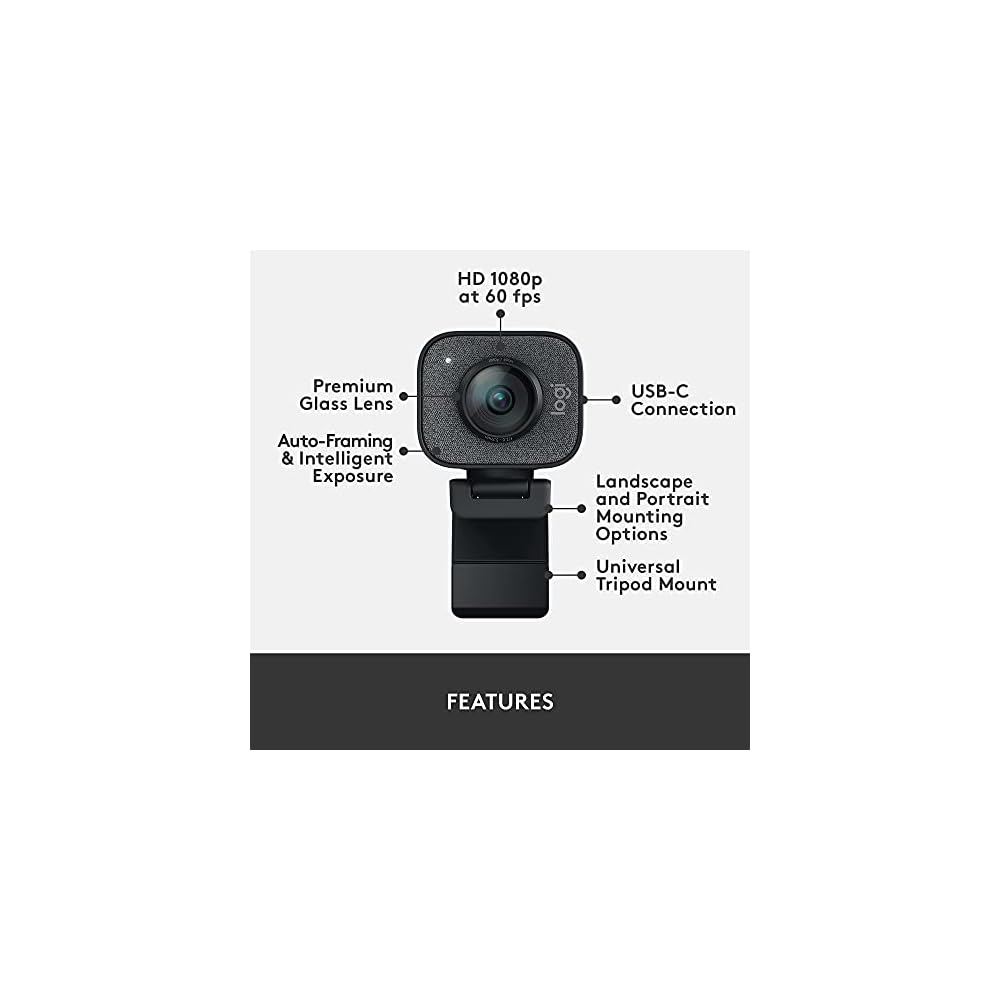
- Full HD 1080p at 60 fps: Stream and record in full 1080p HD resolution at 60 fps for sharp, natural video with smooth motion for creating professional quality live streams and videos
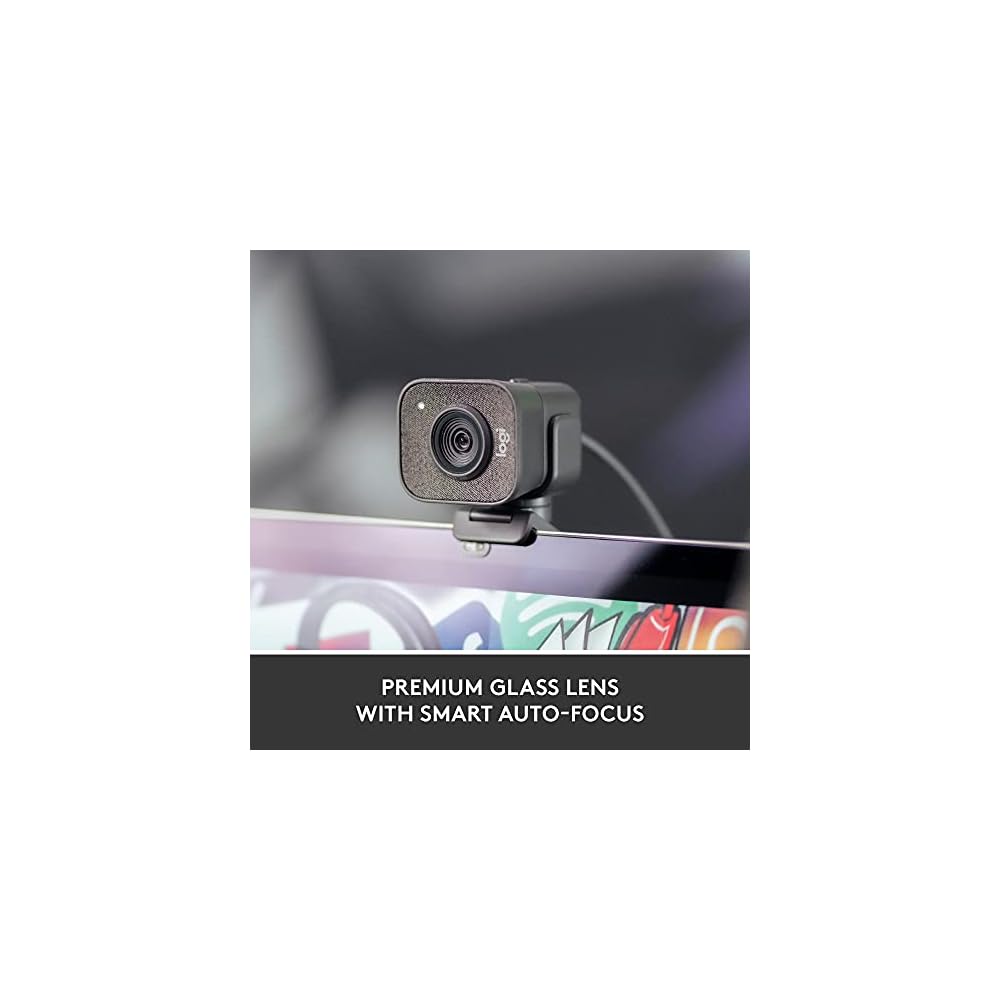
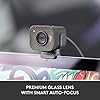
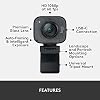
- Premium glass lens with smart autofocus: Capture vibrant, true-to-life image quality with crisp details using StreamCam's premium glass lens and smart autofocus system
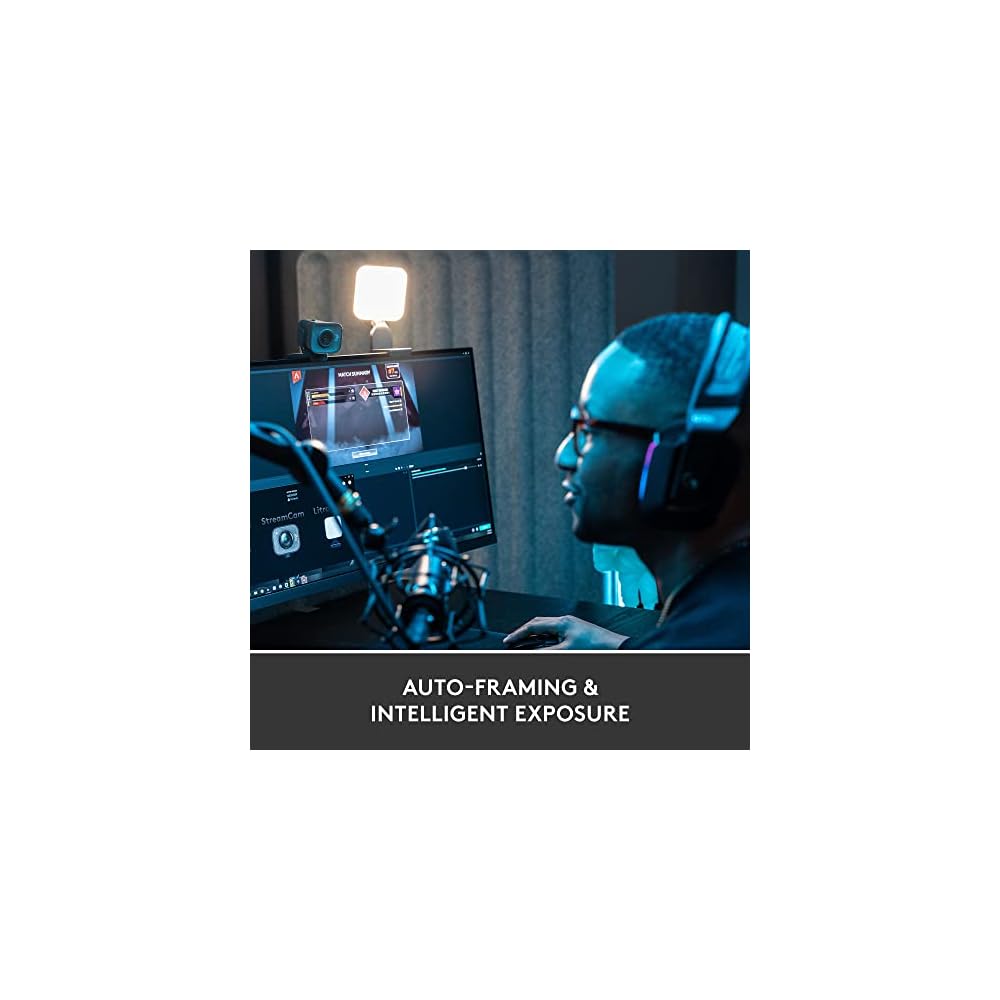
- StreamCam advanced features: Auto-framing keeps you in the center of the shot, even as you move left or right, while intelligent exposure ensures you look good in varying lighting conditions
- Optimized for popular live streaming software: Effortlessly stream to Twitch, YouTube and more using popular live streaming software like Open Broadcaster Software (OBS), XSplit and Streamlabs OBS
- Versatile mounting options: Achieve the optimal framing with landscape or portrait modes and mount the external web camera on your desktop monitor or laptop, or directly on a standard tripod
- Fast USB-C connection: High-bandwidth USB-C connection ensures stable and reliable HD video quality for your gaming streams, YouTube videos, Zoom conferencing, Skype meetings, podcasting and more
- Enhanced control with Logitech Capture software: Combine StreamCam full HD webcam with the included Logitech Capture software to unlock powerful features that automate focus, exposure and more
| Sensor Type | CMOS |
| Color | Graphite |
| Features | Foldable |
| Water Resistance Level | Not Water Resistant |
| Has Image Stabilization | No |
| Form Factor | Webcam bar |
| Item Weight | 10.23 Ounces (290.02 grams) |
| Style Name | StreamCam |
| Item Dimensions D x W x H | 1.89"D x 2.28"W x 3.35"H (4.8 x 5.8 x 8.5 cm) |
| Operating System | Windows 10 or later, macOS 10.14 or later |
| Maximum Focal Length | 3.7 Millimeters |
| Maximum Aperture | 60 f |
| Minimum Focal Length | 2 Millimeters |
| Lens Type | Zoom |
| Minimum Aperture | 2 Millimeters |
| Focus Type | Auto Focus |
| Screen Size | 2.7 Inches (6.9 cm) |
| Display Resolution Maximum | FHD |
| Flash Memory Type | Micro SD |
| Supported Audio Format | PCM, WAV, MP3 |
| Number of Speakers | 1 |
| Compatible Devices | Personal Computer, Laptop |
| Brand | Logitech for Creators |
| Model Number | 960-001286 |
| Camcorder Type | Webcam |
| Model Name | StreamCam |
| Built-In Media | Camera, Monitor Mount, Universal Mount, User documentation |
| Are Batteries Included | No |
| Manufacturer | Logitech |
| UPC | 097855153241 |
| Global Trade Identification Number | 00097855153241 |
| Item Type Name | Streaming Webcam |
| Unit Count | 1.0 Count |
| Video Resolution | 1080p |
| Video Capture Format | MJPEG |
| Effective Still Resolution | 2.07 MP |
| Shooting Modes | Automatic, Easy, Landscape, Portrait |
| Image Aspect Ratio | 16:9 |
| White Balance Settings | Auto |
| File Format | M-JPEG |
| Exposure Control Type | Automatic |
| Effective Video Resolution | 1080 Pixels |
| Photo Sensor Technology | CMOS |
| Video Capture Resolution | 1080p |
Who Should Buy?

-
Streamers
Ideal for gamers and live streamers seeking high-quality video at 1080p and 60 fps for engaging content.
-
Content Creators
Perfect for vloggers and video creators needing enhanced visual quality and auto-focus for polished presentation.
-
Remote Workers
Great for professionals working from home requiring clear video for virtual meetings and presentations on PC/Mac.

-
Casual Users
Not necessary for users seeking basic webcam functionalities without the need for high-resolution video quality.
-
Budget Shoppers
May not fit those looking for an economical solution, as it comes with higher specs and price point.
-
Traveling Users
Less suitable for frequent travelers due to its potential bulk and need for stable setups not always available.
Product Description
Have any Query? Chat with us
Customer Questions & Answers
-
Question:
What makes the Logitech for Creators StreamCam a great choice for streaming?
Answer: The Logitech for Creators StreamCam is designed specifically for streamers and content creators, offering full HD 1080p resolution at 60 fps for crystal-clear visuals. Its advanced glass lens ensures sharp images, while the smart auto-focus quickly adjusts to keep you in clear view, even during fast movements. The webcam is versatile, seamlessly supporting both PC and Mac systems, making it ideal for gamers, vloggers, and live streamers who require high-quality video capture. -
Question:
How does the smart auto-focus feature work?
Answer: The smart auto-focus in the Logitech StreamCam detects motion and adjusts the focus dynamically, so your face stays the center of attention in any setting. This is particularly beneficial during live streams or video calls, where movement is common. It ensures that you’re always in sharp focus, eliminating distractions and enhancing viewer engagement—the perfect tool for those who want to maintain professionalism in their content creation. -
Question:
Can I use the Logitech StreamCam for video conferencing?
Answer: Absolutely! The Logitech StreamCam is perfect for video conferencing. Its high-definition video quality enhances clarity, making meetings and presentations more engaging. The glass lens captures colors accurately, and the smart auto-focus keeps your face clearly visible, making it easier for participants to connect with you. Whether for business meetings, online classes, or remote teamwork, this webcam ensures you look your best. -
Question:
What platforms is the Logitech StreamCam compatible with?
Answer: The Logitech StreamCam is compatible with all major streaming platforms, including Twitch, YouTube, Zoom, and OBS Studio. This versatility allows creators to easily switch between platforms, enabling smoother operation for live streaming and content production. Whether you’re streaming a game or hosting a webinar, this webcam integrates seamlessly, ensuring top-quality performance across the board. -
Question:
Does the Logitech StreamCam require additional software?
Answer: While the Logitech StreamCam operates well as a plug-and-play device, using Logitech's Capture software unlocks additional features such as adjustable video settings, customizable resolutions, and advanced scene configurations. This software allows you to enhance your streaming experience further by fine-tuning output settings to match your content creation needs, giving you the flexibility to customize your workflow. -
Question:
What is the significance of 60 fps in video capture?
Answer: The 60 fps (frames per second) capability of the Logitech StreamCam is crucial for smooth video playback, especially during fast-paced streaming scenarios. Higher frame rates reduce motion blur and enhance visual fluidity, making it perfect for gaming and dynamic presentations. Viewers will appreciate the quality, leading to better interactions and engagement during your live sessions. -
Question:
Is the Logitech StreamCam suitable for use in low-light conditions?
Answer: The Logitech StreamCam performs adequately in low-light conditions, though it excels in well-lit environments. For optimal image quality, consider investing in some lighting solutions, such as softbox lights or ring lights. These additions can dramatically improve the webcam’s performance in dim settings, ensuring that you remain well-lit and clearly visible to your audience during streams or recordings. -
Question:
What cable connections does the Logitech StreamCam use?
Answer: The Logitech StreamCam connects via a USB-C cable, providing a reliable and high-speed connection to your computer. This modern connection method ensures minimal lag and high data transfer rates, optimizing video quality and performance. USB-C compatibility allows for power delivery and versatile setup options, making it user-friendly for a range of PC and Mac devices. -
Question:
Can I mount the Logitech StreamCam on a tripod?
Answer: Yes, the Logitech StreamCam features a standard tripod socket, allowing for flexible mounting options. This is useful for achieving the ideal camera angle and height during your streams or recordings. Whether you want a face-on view or a more dynamic angle, using a tripod can enhance your setup, ensuring that your audience sees you in the best light. -
Question:
Where can I buy the Logitech for Creators StreamCam?
Answer: You can purchase the Logitech for Creators StreamCam Premium Webcam from Ubuy in Malawi. Ubuy offers a convenient shopping experience with a wide selection of electronic products, making it easy to find and invest in high-quality webcams like the StreamCam.
LogitechforCreators Webcams 960-001286 Editorial Review


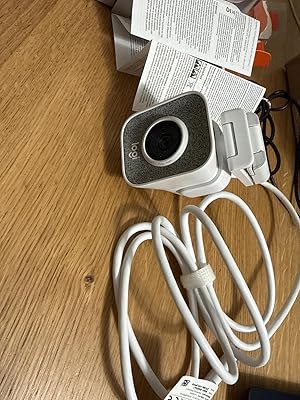
The Logitech for Creators StreamCam Premium Webcam is receiving high praise from users who require superior video quality for streaming and content creation. Users have noted that the camera's Full HD 1080p at 60 frames per second capability sets it apart, particularly since not all webcams offer such high streaming resolutions. The image quality is notably sharp and detailed, even in challenging lighting conditions, capturing every feature with precision. Installation appears to be straightforward with the ability to mount the camera via a universal tripod mount or place it atop a monitor. Although the integrated USB-C cable poses some limitations for replacing cable lengths, the versatility of its connectivity, especially with modern devices, is lauded. Users have appreciated the additional software provided by Logitech, which enhances the camera's functionality, particularly for those looking to implement features like a virtual green screen. Notably, while the microphone quality has been described as "better than decent," some users prefer to utilize dedicated audio solutions for recording. The camera design omits a built-in privacy cover, although this concern is mitigated by the easy disconnection of the external camera. Despite encountering minor issues like Windows not recognizing the camera initially until the associated software was installed, users have found overall operation once set-up to be flawless. The support and customer service provided by Logitech and third-party sellers have also been commended, ensuring any concerns are promptly addressed. Overall, this webcam stands out as a high-quality investment for those serious about their streaming or video content, providing clarity and versatility that meets various professional and casual needs. **
Customer Reviews & Ratings
2962 customers ratings
-
5 Star
73%
-
4 Star
14%
-
3 Star
5%
-
2 Star
3%
-
1 Star
5%
Review this product
Share your thoughts with other customers
Pros
- Excellent video quality (Full HD 1080p at 60fps)
- Strong image clarity, even in low light
- Compatible with multiple video conferencing platforms (Zoom, Microsoft Teams, etc.)
- Versatile mounting options (tripod and monitor mount)
- Good software support for additional features
Cons
- USB-C cable is fixed and cannot be replaced
Product Price History
Important information
- Limitations : For products shipped internationally, please note that any manufacturer warranty may not be valid; manufacturer service options may not be available; product manuals, instructions, and safety warnings may not be in destination country languages; the products (and accompanying materials) may not be designed in accordance with destination country standards, specifications, and labeling requirements; and the products may not conform to destination country voltage and other electrical standards (requiring use of an adapter or converter if appropriate). The recipient is responsible for assuring that the product can be lawfully imported to the destination country. When ordering from Ubuy or its affiliates, the recipient is the importer of record and must comply with all laws and regulations of the destination country.
- Not all the products listed on Ubuy are for sale, as Ubuy is a global search engine. Products are subject to export/trade regulations.
MWK 519615
Order now and get it around Tuesday, June 23
This item is not restrict in my country.(Please click on above link if this item is not restrict in your country, So our team will review and allow.)
QTY:
Only 3 items left in stock.
Secured transaction
Ubuy works hard to protect your security and privacy. Our advanced payment security system ensures confidentiality by encrypting your information during transmission using AES (Advanced Encryption Standards) and SSL (Secure Socket Layer) protocols. Your payment details are 100% secure as we do not share your payment details with third party sellers.
Our Top Logistics Partners
Fastest cross-border delivery
Features & Benefits
- Records in full 1080p HD resolution at 60 fps
- Smart auto-focus system and premium glass lens for crisp details
- Auto-framing, intelligent exposure, and versatile mounting options
- Optimized for popular live streaming software
- Fast and reliable USB Type-C connection
- Free Logitech Capture video software for enhanced control